
Manual entries create gaps quickly in cannabis operations. A batch gets updated in one spreadsheet, a transfer sits in email, and the compliance portal shows something different. Seed to sale tracking works better when each event creates a clear record and sends the next task to the right person.
Twin.so can help automate the work around your tracking system. It can connect apps, run scheduled agents, respond to events, and work with browser-based portals. It shouldn’t be treated as a replacement for a legally required state system unless that capability is confirmed. Start with one controlled workflow, measure the results, and expand only after the records match.
What Seed to Sale Tracking Should Handle
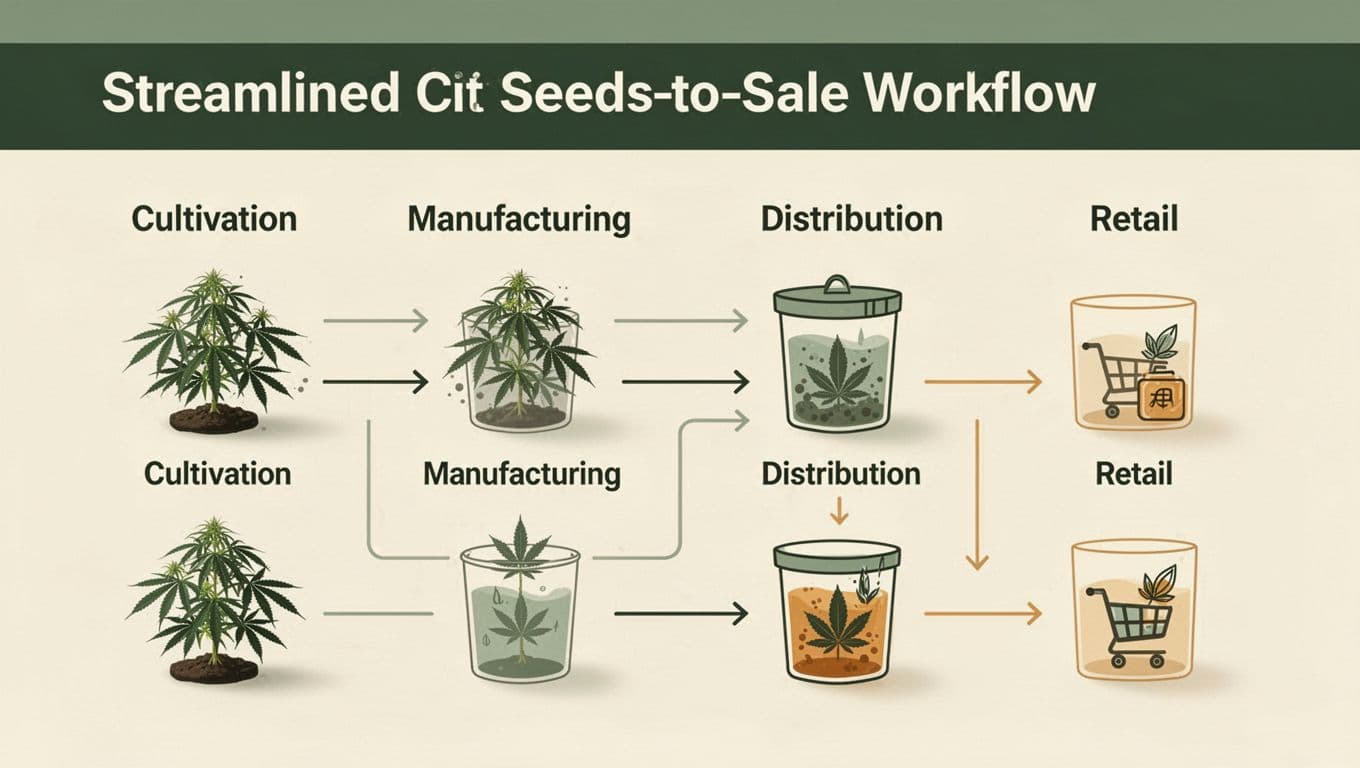
A complete cannabis record follows material through cultivation, processing, packaging, testing, transfers, and sales. New York’s official cannabis guidance describes a seed-to-sale system as tracking the plant lifecycle through these stages, including harvest, laboratory testing, packaging, and retail activity. You can review the state’s seed-to-sale system information for a clear example of the records involved.
The exact system depends on the jurisdiction. Metrc is required in some states, while other markets use different platforms or reporting rules. Metrc explains its approach in its guide to seed-to-sale cannabis tracking.
Keep One Record Per Batch
Every batch should have a consistent identifier, location, status, quantity, and responsible employee. The record also needs dates for key actions, such as harvest, testing, packaging, transfer, adjustment, and sale.
Twin can help copy information between approved tools, but the underlying fields must be decided first. If one team calls an item “finished flower” and another calls it “packaged flower,” reports will still need manual cleanup.
A practical record might include:
- Batch or lot ID
- Product type and quantity
- Current location
- Test status
- Package IDs
- Transfer status
- Assigned owner
- Last update time
Separate Operations From Official Reporting
Your internal tracker can show work queues, inventory counts, and exceptions. The official regulatory system may require different fields, timing, user permissions, and submission steps.
Keep those functions separate. Twin can prepare data, compare records, notify staff, and open a portal for review. A trained employee should approve important submissions until the integration has been tested and the jurisdiction permits the process.
That separation protects the official record while still reducing repetitive work.
Where Twin.so Fits in the Workflow
Twin.so is a general automation platform, not a documented cannabis seed-to-sale product. Its public materials describe connections to business tools, browser automation, scheduled agents, webhooks, and API-based workflows. The Twin quickstart documentation covers scheduled agents, event-driven triggers, OAuth connections, and browser actions.
In practical terms, Twin can sit between the tools your team already uses. It can watch for an event, move approved information, check for missing details, and send an exception to a person.
Use Twin as the Workflow Layer
A cultivator might enter a harvest record in an approved operations system. Twin could copy the batch ID, quantity, date, and location into an internal reporting sheet. A packaging manager could then receive a task when the test result is available.
A distributor could use a webhook to start a transfer checklist when a shipment record changes. A retailer could receive an alert when expected inventory doesn’t match the latest package data.
These are workflow tasks around seed to sale tracking. They don’t prove that Twin is a native compliance system.
Twin’s integration directory shows the platform’s broad connection options. Confirm that your actual software, portal, and data fields are supported before planning the build.
Set Boundaries Before You Automate
Automation should not make unrestricted changes to inventory or compliance records. Give each agent a narrow job.
For example, an agent can:
- Read new approved records
- Copy selected fields
- Compare two quantities
- Create a review task
- Send a message when data is missing
- Prepare a report for approval
It shouldn’t change a batch quantity, close a transfer, or submit a regulatory report without a defined approval step. This is especially important when the state system has strict reporting deadlines or audit requirements.
Practical Automations to Build in Twin.so
The best first workflow is repetitive, easy to check, and limited to one department. Don’t start with every location and product category. Start with one record type and prove that the information stays accurate.

Create Records When an Event Happens
Use a form submission, spreadsheet update, webhook, or approved system event as the trigger. Twin then creates or updates a central operating record.
A harvest workflow could:
- Detect a new harvest entry.
- Copy the batch ID, strain, weight, date, and room.
- Check whether required fields are complete.
- Add the record to an inventory view.
- Notify the assigned manager if something is missing.
This removes repeated typing. It also gives the operations team a current view without waiting for someone to update three separate files.
Reconcile Inventory on a Schedule
A daily or weekly inventory check is a strong use case because the result is easy to measure. Twin can compare the quantity in your operations tracker with the quantity in another approved source.
The agent can flag negative inventory, missing package IDs, unusual quantity changes, and products marked as sold but still shown as available. It can send the exception list to email, Slack, or a task system.
The agent should flag problems rather than silently correct them. An employee can then confirm whether the difference came from a data entry mistake, a physical count, a transfer, a waste event, or a delayed system update.
Prepare Compliance Reports for Review
Reporting often takes longer because staff must collect information before they can check it. Twin can gather approved records into a report folder or spreadsheet, organize them by date or batch, and identify missing fields.
A useful report workflow might collect:
- Open transfers
- Unmatched package quantities
- Products waiting on test results
- Sales records without a linked package
- Adjustments that need approval
- Tasks that passed their due date
Twin may also be able to operate a browser-based portal, but that doesn’t confirm permission to submit cannabis reports in your market. Confirm the current rules, portal terms, and vendor support before using browser automation for any official filing.
Setup Steps for a Controlled Pilot
A small pilot is easier to review and safer to change. Pick one location, one workflow, and one owner. Keep the first version focused on visibility and alerts instead of automatic record changes.
Map the Fields and Owners
Write down the source for every field before building the agent. Decide which system is authoritative for the batch ID, quantity, location, test status, package ID, and sale status.
Then assign an owner to each exception. A missing test result may belong to quality control. A quantity mismatch may belong to inventory. An open transfer may belong to distribution.
This simple map prevents Twin from copying the wrong value into the wrong place.
Build One Trigger and One Review
Create the workflow in plain language. For example: “When a new approved package record appears, copy the package ID and quantity to the inventory report, check for missing fields, and alert the inventory manager.”
Test the workflow with real examples that have already been verified. Include a complete record, a missing field, a duplicate record, a changed quantity, and a cancelled transfer.
Keep a human approval step before any action that changes official records. Document who approves it, what they check, and where the approval is stored.
Test Exceptions Before Expansion
Run the pilot for a set period and compare the automated record with the source record. Check whether the agent misses updates, duplicates entries, misreads portal fields, or sends too many alerts.
Only add more workflows after the first one performs consistently. A small system that staff trust is more useful than a large system that requires constant correction.
Measure the Benefits Clearly
Automation is only useful when it improves a measurable part of the operation. Record the current numbers before the pilot begins.
| Measure | What to Count | Useful Result |
|---|---|---|
| Manual entries | Repeated entries per batch or package | Fewer duplicate entries |
| Reporting time | Minutes needed to prepare a report | Faster report preparation |
| Inventory visibility | Time between an event and an updated view | More current inventory data |
| Exceptions | Unresolved mismatches each week | Fewer open issues |
| Review workload | Alerts requiring employee attention | Clearer, more useful alerts |
Twin’s public pricing pages list a free Starter option, a Growth plan at $49 per seat, and custom Scale pricing. Its documentation also describes usage-based credit plans. Check the current Twin pricing before calculating costs, since task volume can affect the right plan.
Compare Time Saved With Review Time
Don’t count every automated action as a benefit. Include the time employees spend checking alerts and correcting failed runs.
If staff previously made 100 repeated entries each week, record how many remain after the pilot. Do the same for report preparation and inventory reconciliation. The clearest result is often fewer routine entries while exception handling stays manageable.
Keep an Audit Trail
Store the original record, the automated action, the date, and the person who approved any change. Use clear version names for workflow updates.
Compliance managers should be able to answer four basic questions: What changed? Which source supplied the data? When did the workflow run? Who approved the result?
Those answers matter more than having the most complicated automation.
Compliance Checks Before Going Live
Confirm the current requirements in every jurisdiction where you operate. Rules can differ by state, license type, product category, reporting deadline, and approved software provider. Montana’s revenue department, for example, identifies METRC as its required cannabis inventory tracking system, but that requirement doesn’t apply to every market.
Before implementation, ask Twin and your compliance software provider:
- Is the connection officially supported?
- Can the workflow read and write the required fields?
- Are browser actions allowed for this portal?
- How are failed runs and duplicate records handled?
- Can access be limited by user and workflow?
- How are logs, credentials, and stored data managed?
- Does the process meet your jurisdiction’s reporting rules?
Don’t describe Twin as the official seed-to-sale tracking system unless the relevant regulator and vendors confirm it. The safer approach is to use Twin for approved data movement, reminders, reconciliation, and report preparation while keeping the required system as the official record.
Conclusion: Keep the Official Record Clear
Twin.so can reduce manual entries, improve inventory visibility, and prepare faster reports when it is given a narrow, well-defined workflow. The practical starting point is one trigger, one approved source, one report, and one human review.
Use seed to sale tracking automation to reduce repetitive work, not to bypass regulatory controls. Validate every integration, confirm your jurisdiction’s requirements, and expand only after the records match and the exceptions are easy to manage.