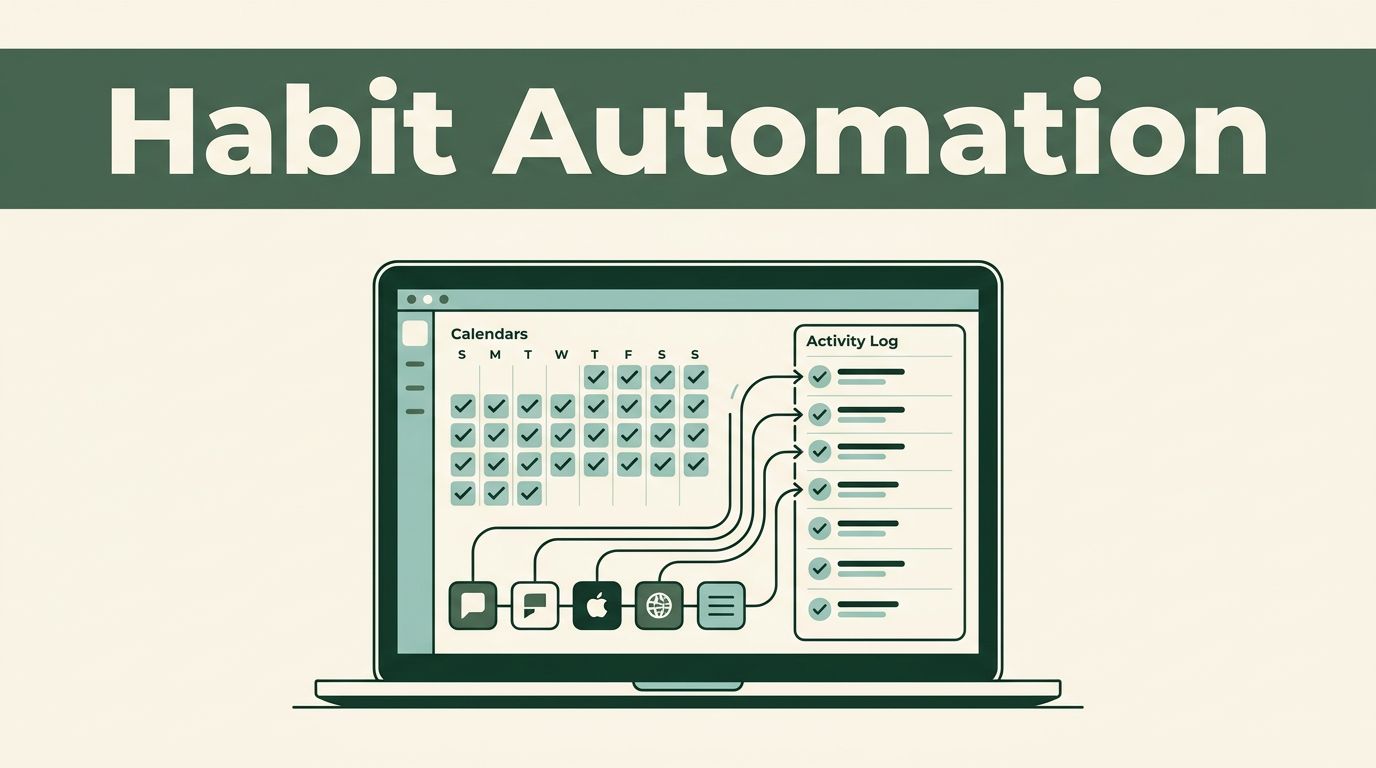
Most habit trackers fail because recording the habit takes almost as much effort as doing it. Habit tracking automation removes that extra step by checking the right source, confirming what happened, and logging one reliable record.
Twin.so can run agents on schedules, respond to events, use connected apps, and operate websites through browser automation. The setup works best when your data structure, trigger, and duplicate rules are decided before the agent starts running.
What Twin.so Handles Well for Habit Tracking
Twin.so is an AI agent builder, not a traditional node-based workflow editor. You describe the result, then configure the agent’s instructions, database fields, tools, and trigger.
The Twin Quickstart documentation covers scheduled agents, event-driven triggers, OAuth integrations, and browser automation. Those are the main pieces needed for recurring habit logs.
Use One Agent for One Job
Start with a narrow task. A daily agent can check whether you completed today’s reading habit. A separate event-driven agent can record a workout submitted through a form.
Avoid one large agent that checks every habit, updates several apps, sends reminders, and creates weekly reports. It becomes harder to test and harder to identify when one action fails.
A good agent name tells you its job immediately:
[Habit] Daily Completion Check[Habit] Event Intake[Habit] Weekly Summary
Keep each agent responsible for one clear outcome. That makes scaling easier because you can adjust one process without affecting the others.
Pick the Trigger Based on the Source
Twin.so supports scheduled triggers, event-based triggers, and programmatic triggers through a REST API. Schedules can run hourly, daily, weekly, or at a custom interval.
Use a schedule when the source doesn’t provide a useful event. Use an event trigger when a new record, message, or submission should create a habit log. Use the REST API when your own application needs to start the agent.
The Twin trigger examples include schedules, webhooks, inbound emails, new CRM records, form submissions, and Slack messages. Pick the simplest trigger that gives the agent enough information to act.
Build Habit Tracking Automation in Twin.so
The safest habit tracking automation starts with a defined record, not a clever prompt. Decide what one completed habit occurrence looks like before writing the agent instructions.
Your source of truth could be a table, task system, calendar, form, or connected app. Twin.so can read source data, write structured documents, sync records, and route information through integrations. Its public integration catalog currently lists 41,706 app integrations, but the right connection matters more than the total count.

Define One Record Per Occurrence
Use one record for one habit on one date. Don’t store an entire week’s completion history in a single text field.
A practical record can include:
habit_idhabit_datestatuscompleted_atsource_event_idoccurrence_keynotes
Keep the status values limited. completed, missed, skipped, and pending_review are easier to filter than several similar phrases.
The occurrence_key is the most important field for duplicate prevention. A simple format is habit_id:YYYY-MM-DD, such as read_20m:2026-08-16.
Write Instructions in a Fixed Order
Twin’s instructions area includes sections for Purpose, Database, At Start of Run, Workflow, and Tools. Use those sections consistently across every habit agent.
The Purpose section should state one result, such as: “Record today’s completed reading habit once.”
The Database section should define the fields, allowed status values, date format, and duplicate key. The At Start of Run section should tell the agent what to check before taking action.
The Workflow section should follow a fixed sequence:
- Read the source record or event.
- Confirm the habit, date, and completion status.
- Build the occurrence key.
- Search for an existing matching record.
- Stop if the key already exists.
- Create one new record if no match exists.
- Return the result and reason.
Only give the agent the tools it needs. Extra tools create more possible actions and make testing less predictable.
Use Two Practical Workflow Patterns
Most small teams can start with one scheduled workflow and one event-based workflow. Both patterns are simple enough to test with a small number of records.
Scheduled Daily Completion Check
Suppose you track a 20-minute reading habit in a task app. A Twin agent runs every evening and checks tasks due that day.
The agent reads tasks with the matching habit tag. It confirms that the task is marked complete, creates the day’s occurrence key, and searches the habit log for that key.
If the key exists, the agent takes no action. If the key doesn’t exist, it writes one completed record with the source task ID and completion time.
This is better than telling the agent to “look for completed reading and add it to the tracker.” The detailed sequence gives it a clear stopping point and an audit trail.
Set the schedule around the source data. If tasks are often completed late at night, a morning check may produce false misses. Store dates in one consistent timezone, especially when different people or apps are involved.
Event-Based Habit Logging
An event-based workflow works well when completion creates a new record. For example, a form submission can include the habit name, completion date, and optional note.
The event starts the Twin agent. The agent validates the fields, maps the submission to a known habit_id, builds the occurrence_key, and checks whether that key already exists.
If the event has already been processed, the agent stops. If required information is missing, it should not guess. Mark the item for review or leave the destination unchanged, depending on the fields available in your system.
Event-based tracking is faster than waiting for a scheduled scan, but it depends on reliable event data. Keep a scheduled reconciliation check for important habits.
Keep Agent Names and Data Predictable
Small naming decisions matter once you have several agents, habits, and destinations. A clear pattern makes run history easier to inspect.
Name Agents by Function
Use a consistent prefix, action, and frequency. For example:
[Habit] Log Workout Event[Habit] Check Daily Reading[Habit] Reconcile Weekly Logs
Avoid names such as Habit Bot 2 or New Automation. They provide no useful information when a run fails.
Use the same vocabulary in the agent name, database fields, and instructions. If the field is habit_date, don’t call it date_completed in another agent unless the meanings are different.
Use Stable IDs Instead of Display Names
Display names change. A habit called “Morning Walk” may later become “Walk 30 Minutes.” Its internal ID should stay the same.
Use a stable habit_id and combine it with the date for the occurrence key. Keep the original source_event_id as well. That lets you trace a log back to the record, message, or submission that created it.
| Field | Example | Purpose |
|---|---|---|
habit_id | walk_30m | Permanent habit identity |
habit_date | 2026-08-16 | Calendar date being tracked |
occurrence_key | walk_30m:2026-08-16 | Duplicate check |
source_event_id | form_1842 | Source trace |
status | completed | Consistent reporting |
Use ISO dates and lowercase IDs. Avoid spaces, changing labels, and free-form date formats.
Prevent Duplicate Actions and Unreliable Logs
Duplicate entries usually happen because the agent checks for a match too late, or because the source sends the same event more than once.
Put Deduplication at the Start
Twin’s documentation uses deduplication as an example of an At Start of Run pre-check. Use that control before any write, message, browser action, or status update.
The check should use the full occurrence key. Checking only the habit name is not enough because the same habit should be logged on different dates.
A successful run means the agent completed its instructions. It doesn’t automatically mean the habit was logged exactly once.
Make the write operation idempotent. In plain terms, running the same input twice should produce the same final result, not two records.
If a destination supports a unique field, make occurrence_key unique there too. Use both the destination rule and the Twin pre-check when possible.
Don’t Let the Agent Guess Completion
Missing data isn’t proof that a habit was missed. A delayed sync isn’t proof that the person failed to complete it.
Tell the agent what counts as evidence. For example, a task must have a completed status, a form must include a valid completion date, and a source event must include a known habit ID.
When evidence is incomplete, use pending_review or take no action. Don’t create a completed record to keep the numbers looking full. A smaller accurate history is more useful than a complete-looking unreliable one.
Monitor and Troubleshoot at Scale
Scaling habit tracking automation means adding control, not only adding agents. Twin’s Orchestrator provides visibility into agents, runs, and schedules, so use that view as your first troubleshooting point.

Watch Runs, Skips, and Writes
A useful habit log should show more than completed entries. Track skipped duplicates, validation failures, missing source records, and successful writes.
Review these items regularly:
- The last run time for each active schedule.
- The number of records created.
- The number of duplicate checks that stopped a run.
- Authentication or permission errors.
- Source records that failed validation.
- Browser steps that no longer find the expected page element.
Keep one small operational log if Twin’s run history doesn’t show the exact business result you need. The purpose is to answer a simple question: did the agent create the correct record, and why?
Troubleshoot in a Fixed Order
When a run fails, check the trigger first. Confirm that the schedule is active and that the event reached Twin.
Next, inspect the source filter. A date filter, habit tag, or status value may have changed. Then check the connected app and permissions. OAuth connections can expire or lose access after an account change.
If the agent uses browser automation, inspect the page step next. A changed button label, login screen, or page layout can stop the action. Prefer an API integration when it provides the same data with fewer moving parts.
Finally, check the destination response and occurrence key. Don’t rerun the agent repeatedly until you know whether the first attempt created a record. Verify the destination first, then rerun only when the duplicate rule will protect the write.
Scale by Reusing Rules, Not Copying Confusion
Once one habit works, add habits through the same record structure and instruction pattern. Change the habit_id, source filter, and schedule only where needed.
Keep a small test set with one completed record, one missing record, one duplicate event, and one invalid entry. Run new agents against those cases before activating recurring schedules.
Review instructions after every source or destination change. The goal isn’t to automate every possible action. It is to make recurring tracking predictable enough that you rarely need to repair it manually.
Conclusion
Reliable habit tracking automation depends on three decisions: a stable occurrence key, a clear trigger, and a pre-check before every write. Twin.so gives you scheduled and event-based agents, connected tools, browser automation, and run visibility to put those rules into practice.
Start with one habit and one destination. Prove that the agent creates one correct record, skips duplicates, and handles missing data safely. Then reuse the same structure across the rest of your tracking system.